How to Use an OBD2 Scanner: Read and Understand Car Codes
Using an OBD2 scanner takes a few minutes and no special skills. This step-by-step guide shows how to find the...
 By Diagnostics & Garage Desk
Updated October 3, 2026
By Diagnostics & Garage Desk
Updated October 3, 2026
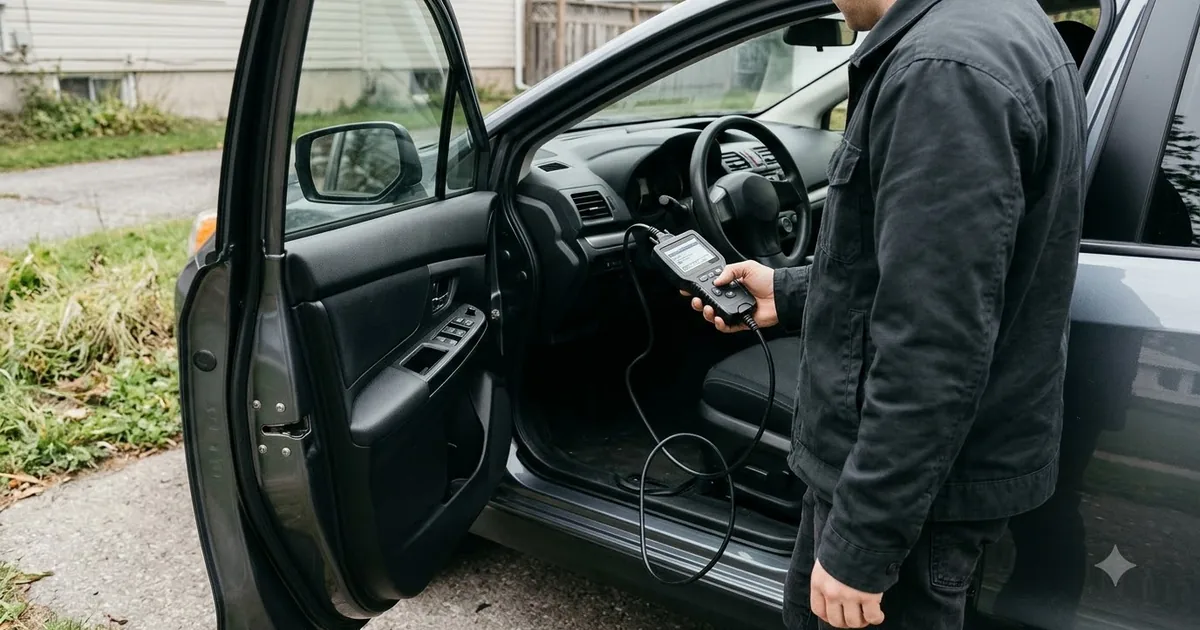
Using an OBD2 scanner takes a few minutes and no special skills. This step-by-step guide shows how to find the port, read codes and decide what to do next.
This guide is based on published specifications, manufacturer information and buyer feedback. We do not claim hands-on testing. Always follow your vehicle manual and local laws.
Before you start
- Park the car, turn off the engine and apply the parking brake.
- Have your phone ready if you use a Bluetooth or Wi-Fi scanner with an app.
- Keep a pen or phone note handy to record the codes.
Step 1: Find the OBD2 port
It is a 16-pin trapezoid connector, usually under the dashboard on the driver’s side near the steering column. Some cars hide it behind a small panel or near the centre console. If you cannot see it, check the owner’s manual or search for your model.
Step 2: Connect the scanner
Plug the scanner or dongle in firmly. With the ignition on but the engine off (key position II, or the start button without pressing the brake), the scanner should power up. For app-based scanners, pair the dongle in the app rather than in phone Bluetooth settings unless the instructions say otherwise.
Step 3: Read the codes
Select the option to read codes. The scanner lists any stored, pending and permanent codes. A code like P0420 relates to catalytic converter efficiency; P0171 to a lean fuel mixture. Write down each code and any freeze-frame data, which captures the conditions when the fault occurred.
Step 4: Understand what it means
| First letter | System |
|---|---|
| P | Powertrain (engine and transmission) |
| B | Body (airbags, seats, climate) |
| C | Chassis (ABS, steering, suspension) |
| U | Network communication |
Look up the code for your make and model. A code identifies a symptom and a circuit, not always a failed part, so check common causes before buying parts.
Step 5: Decide what to do
- Flashing check engine light or severe symptoms: stop driving and get the car checked.
- Steady light with a minor code: something simple like a loose fuel cap can cause it. Tighten it, then see if the light returns after a few drives.
- Repeated or serious codes: see a mechanic or research the repair thoroughly.
Clearing codes
You can clear codes after the repair. Do not clear them just to hide a problem. Clearing also resets the emissions readiness monitors, which need several drive cycles to complete before a smog test.
Not sure which scanner to buy? Read our OBD2 scanner buying guide.
Frequently asked questions
Can I leave the scanner plugged in?
Some can be left in, but others draw power. Follow the maker’s advice and unplug it if the car is parked for long periods.
Why does the scanner say no connection?
Check that the ignition is on, the plug is seated firmly, and that your car supports OBD2. Try the scanner on another car if you can.
Will the check engine light go off by itself?
Sometimes, after the fault has not reappeared for several drive cycles. The code stays in memory until it is cleared or ages out.
Popular buying guides
About the author
The Diagnostics & Garage Desk covers OBD2 scanners, jump starters, battery chargers and tire inflators. We explain what each tool is designed for and how to match it to your vehicle, and we always point readers to the manufacturer instructions for safe use.