How to Install a Dash Cam: Step-by-Step for Beginners
A beginner-friendly walkthrough: where to mount a dash cam, how to hide the cable and which power option to use.
 By Dash Cam & Safety Desk
Updated October 2, 2026
By Dash Cam & Safety Desk
Updated October 2, 2026
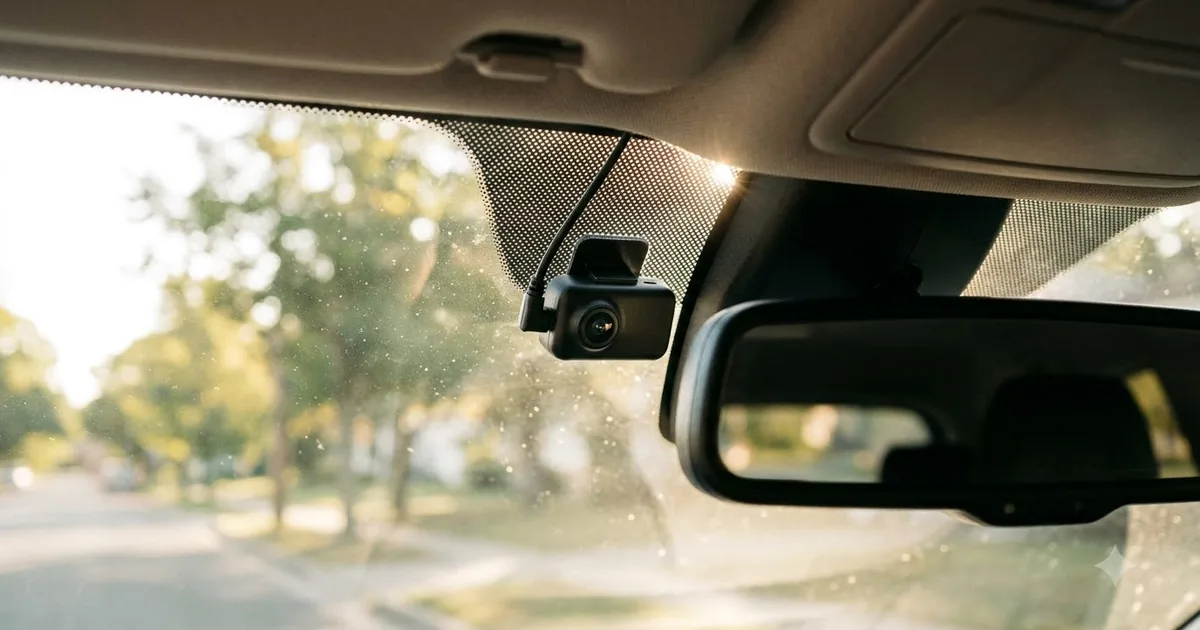
Installing a front dash cam is a 15 to 30 minute job for most cars if you use the cigarette-lighter outlet or a USB port. A hardwire install takes longer and involves the fuse box. This guide covers both.
This guide is based on published specifications, manufacturer information and buyer feedback. We do not claim hands-on testing. Always follow your vehicle manual and local laws.
What you will need
- The dash cam, mount and power cable
- A high-endurance microSD card
- A trim tool or plastic pry tool (optional but useful)
- Microfiber cloth and glass cleaner
- Cable clips or zip ties
- For hardwiring: a hardwire kit, fuse taps and a circuit tester
Step 1: Choose the position
Mount the camera high on the windshield, near the rear-view mirror, where it sees the road without blocking your view. Check your state’s windshield rules first. Switch the camera on temporarily and check the picture before you stick anything down.
Step 2: Prepare the glass and mount
Clean the glass with cleaner and a microfiber cloth and let it dry. Peel the backing from the adhesive mount, press firmly for the time the manufacturer suggests and attach the camera. Adhesive can take time to bond properly, so follow the instructions on temperature and waiting time.
Step 3: Route the cable
- Tuck the cable along the top edge of the windshield, under the headliner.
- Run it down the A-pillar. Do not block the airbag area; the pillar trim often has an airbag behind it, so use the route recommended in your manual.
- Continue along the bottom of the dashboard or glove box to the power source.
- Use clips to keep slack from hanging near pedals or the steering column.
Step 4: Power options
| Option | Pros | Cons |
|---|---|---|
| Cigarette-lighter adapter | Quick, no tools | Outlet may power off with ignition, so no parking mode |
| USB port | Neat, simple | Port power may not suit all cameras |
| Hardwire kit | Enables parking mode, clean look | Needs fuse box access; ask a professional if unsure |
| OBD2 power cable | Easier than fuse taps | Compatibility and battery drain vary by car |
Step 5: Test and set up
- Format the memory card in the camera.
- Set the date, time and time zone.
- Check the loop recording and G-sensor settings.
- Take a short test drive and review the footage for angle and clarity.
If you want recording while parked, read our parking mode guide.
Frequently asked questions
Can I install a dash cam myself?
Plug-in installs are straightforward. If you are unsure about the fuse box or airbag trim, a professional installer is a safer choice.
Where should the rear camera go?
Usually at the top of the rear window, with the cable routed along the headliner to the front. Follow the manufacturer instructions for your vehicle type.
Will a dash cam damage my windshield?
Adhesive mounts can be removed with care. Avoid scraping and follow the manufacturer’s removal guidance.
Popular buying guides
About the author
The Dash Cam & Safety Desk covers dash cams, parking mode, hardwire kits and the rules that affect recording in your car. We compare features and specifications and explain what to check before you install, including state and local laws, which vary.