Wireless CarPlay Adapter Guide: How They Work and What to Check
How wireless CarPlay and Android Auto adapters work, which cars they suit and what to check before you buy.
 By Connectivity & Mounts Desk
Updated October 3, 2026
By Connectivity & Mounts Desk
Updated October 3, 2026
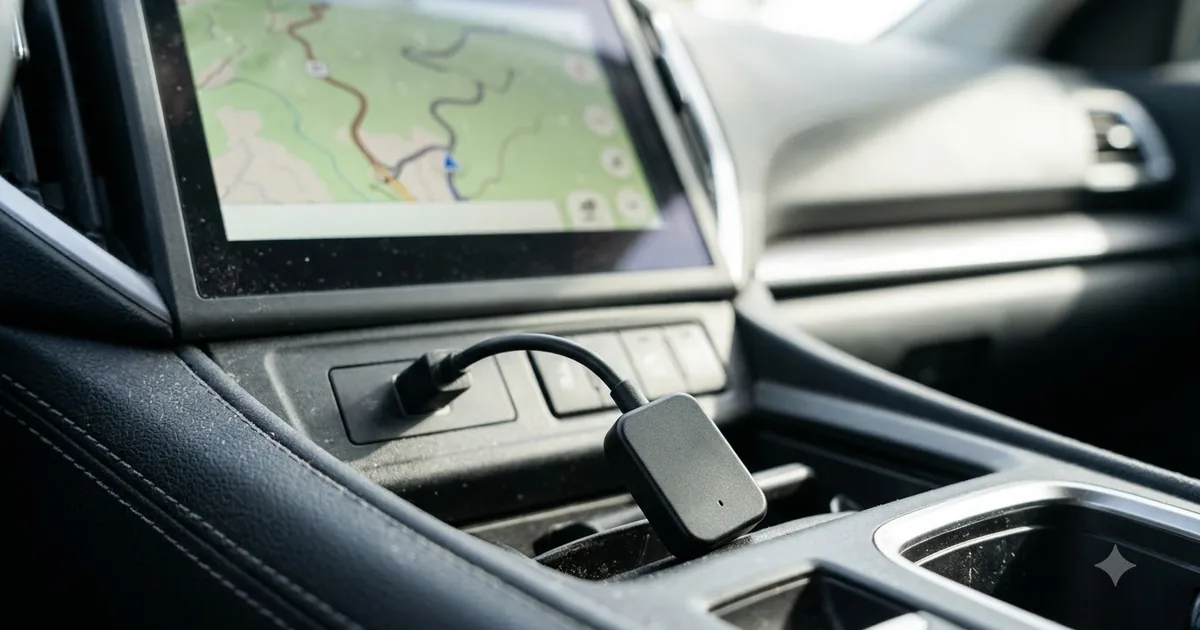
A wireless CarPlay or Android Auto adapter plugs into the USB port of a car that already supports the wired version and lets your phone connect without a cable. It sounds like a simple upgrade, but it only works well when the car, the phone and the adapter suit each other.
This guide is based on published specifications, manufacturer information and buyer feedback. We do not claim hands-on testing. Always follow your vehicle manual and local laws.
How a wireless adapter works
Cars with wired CarPlay or Android Auto expect to talk to a phone over USB. A wireless adapter sits between the two: it plugs into the car’s USB port and acts like a phone cable. The adapter then connects to your phone over Bluetooth and Wi-Fi and passes the CarPlay or Android Auto session through to the car screen. When you start the car, the adapter powers up and reconnects to the phone it remembers, usually within a few seconds to half a minute.
Because it relies on the car’s existing wired support, an adapter cannot add CarPlay to a car that has no CarPlay at all. If you are not sure what your car supports, read our guide to checking your car first.
What to check before you buy
- Protocol: CarPlay and Android Auto are different. Some adapters support only one, others both. Match the adapter to the phone you use.
- Car compatibility: look for a compatibility list from the maker covering your model and year. Infotainment software versions matter, so an adapter that works in one trim may fail in another.
- Phone support: iPhones need a reasonably recent iOS version; Android phones need Android Auto support and a recent Android release.
- Firmware updates: a good adapter can be updated, and the maker should publish fixes.
- USB connector: most cars need USB-A, some need USB-C or an included converter. Confirm which fits your port.
- Return policy: compatibility issues are the most common complaint, so buy from a seller that accepts returns.
| Question | Why it matters |
|---|---|
| Does the car have wired CarPlay or Android Auto? | Adapters need the wired feature to exist |
| Which phone do you use? | Some adapters support only iPhone or only Android |
| Is your car on the maker’s compatibility list? | Reduces the risk of a return |
| Can the firmware be updated? | Fixes connection bugs over time |
Common problems and fixes
It will not connect on the first try
Forget the old Bluetooth pairing for the car on your phone, restart the phone, and pair again following the adapter’s instructions. Make sure phone Wi-Fi and Bluetooth are on.
The connection drops or audio stutters
Crowded wireless environments, a phone in power-saving mode, or old firmware can cause drops. Update the adapter, disable battery optimisation for the connected apps, and keep the phone close to the adapter.
There is a delay in the screen or touch
Wireless adds a small amount of latency compared with a cable. Most people find it acceptable for maps and music; if navigation lag bothers you, a wired connection is the more reliable option.
The phone battery drains faster
Wireless projection uses Wi-Fi and Bluetooth continuously. A wireless charging pad or a USB-C car charger helps; see our car charger guide and phone mount guide.
Is wireless worth it?
If you take many short trips, not plugging in a cable each time is a real convenience. On long drives you will probably want to charge the phone anyway, which makes the cable less of a hassle. See wired vs wireless for a fuller comparison.
Frequently asked questions
Will an adapter work in any car?
No. The car must support wired CarPlay or Android Auto, and the adapter must be compatible with the car’s system.
Can I use one adapter for two phones?
Many adapters remember several phones but connect to one at a time. Check how the model you are considering handles switching.
Is an aftermarket adapter safe?
It plugs into a data port and does not modify the car. Buy from a known maker and keep it updated. If your warranty is a concern, ask the dealer.
Can I use it for navigation?
Yes. Maps and music work through the adapter just as they do over a cable, subject to the small delay mentioned above.
Popular buying guides
About the author
The Connectivity & Mounts Desk covers wireless CarPlay and Android Auto adapters, phone mounts and car chargers. We focus on compatibility, setup and the details that decide whether a product fits your phone and your vehicle.